Real screenshot — demo data from php artisan newsletter:seed-dataMCP /mcp/newsletter · REST /api · OpenAPI /api/documentation
Pillars
Built for operators and integrations.
Three surfaces, one source of truth — the admin panel, the REST API, and an MCP server for AI clients.
PHP 8.3+ · Laravel 13 · Filament 5 · MIT · v2.3
01AI · MCPNative MCP so Cursor and Claude can list campaigns, draft templates, create messages, and
read delivery metrics.Docs
02REST APISanctum-authenticated CRUD for subscribers, tags, templates, campaigns, and messages — plus
OpenAPI at /api/documentation.Docs
03RolesEditor, Manager, and Administrator with clear boundaries over campaigns, subscribers,
tokens, and users.Docs
Tour
Real screens, real demo data.
No mockups: every image comes from a local install seeded with
php artisan newsletter:seed-data — 400 subscribers, three campaigns, opens, clicks, bounces and
unsubscribes.
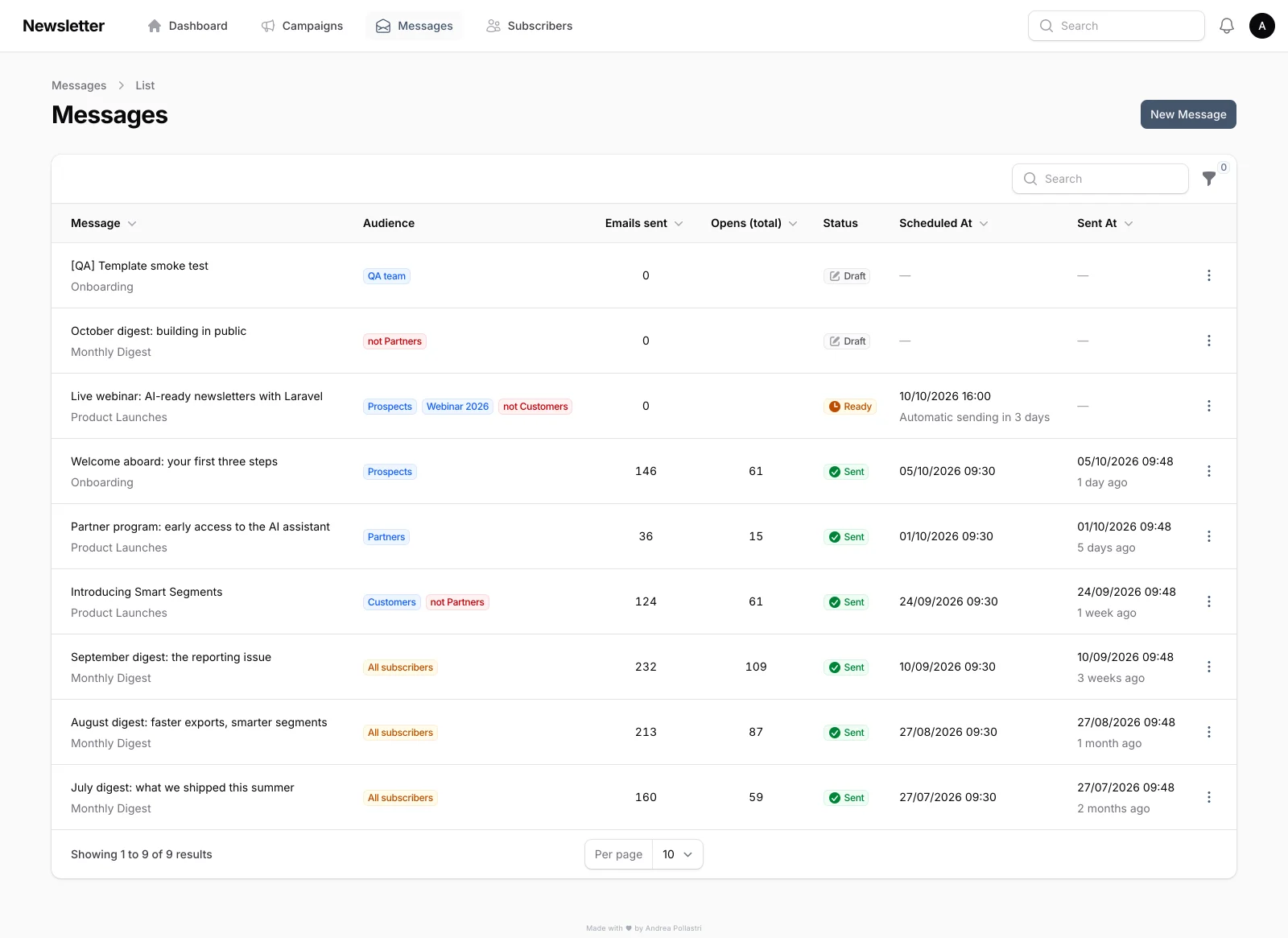
MessagesEvery message with its campaign, audience (include tags in blue,
not tags in red), sends, opens, status and schedule. Send now, send a test, preview or duplicate
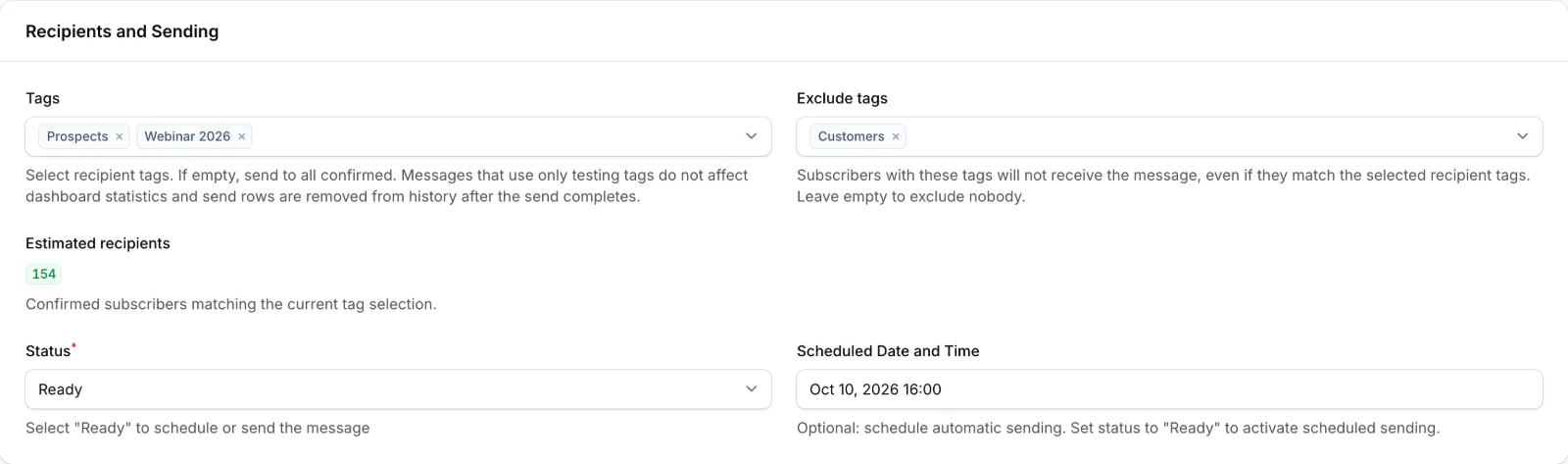
from the row menu.TargetingInclude tags match any selected tag; exclude tags remove anyone who
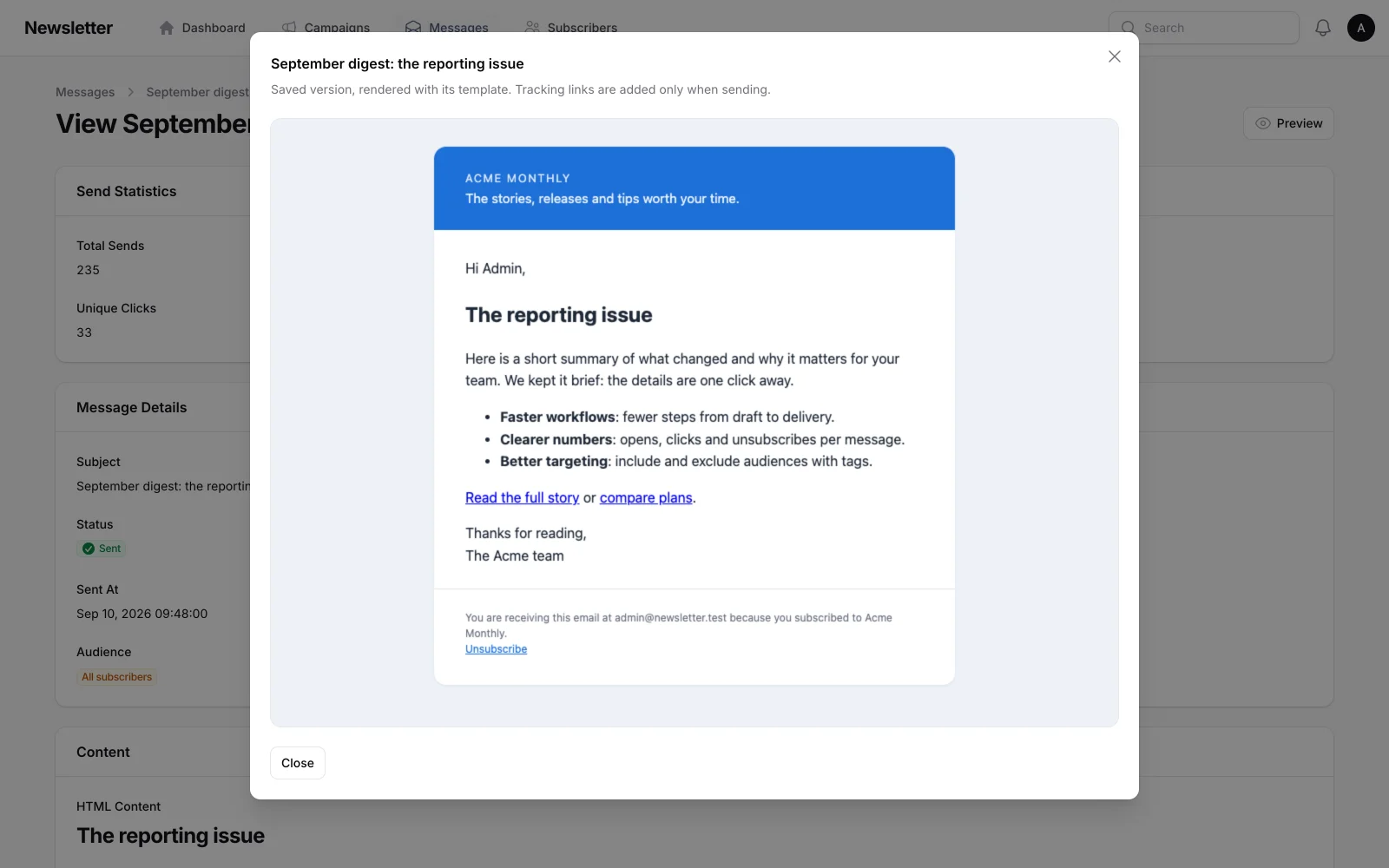
has one of them. The estimated recipients badge updates live while you pick tags.PreviewSee the exact email — template plus body, personalised with your
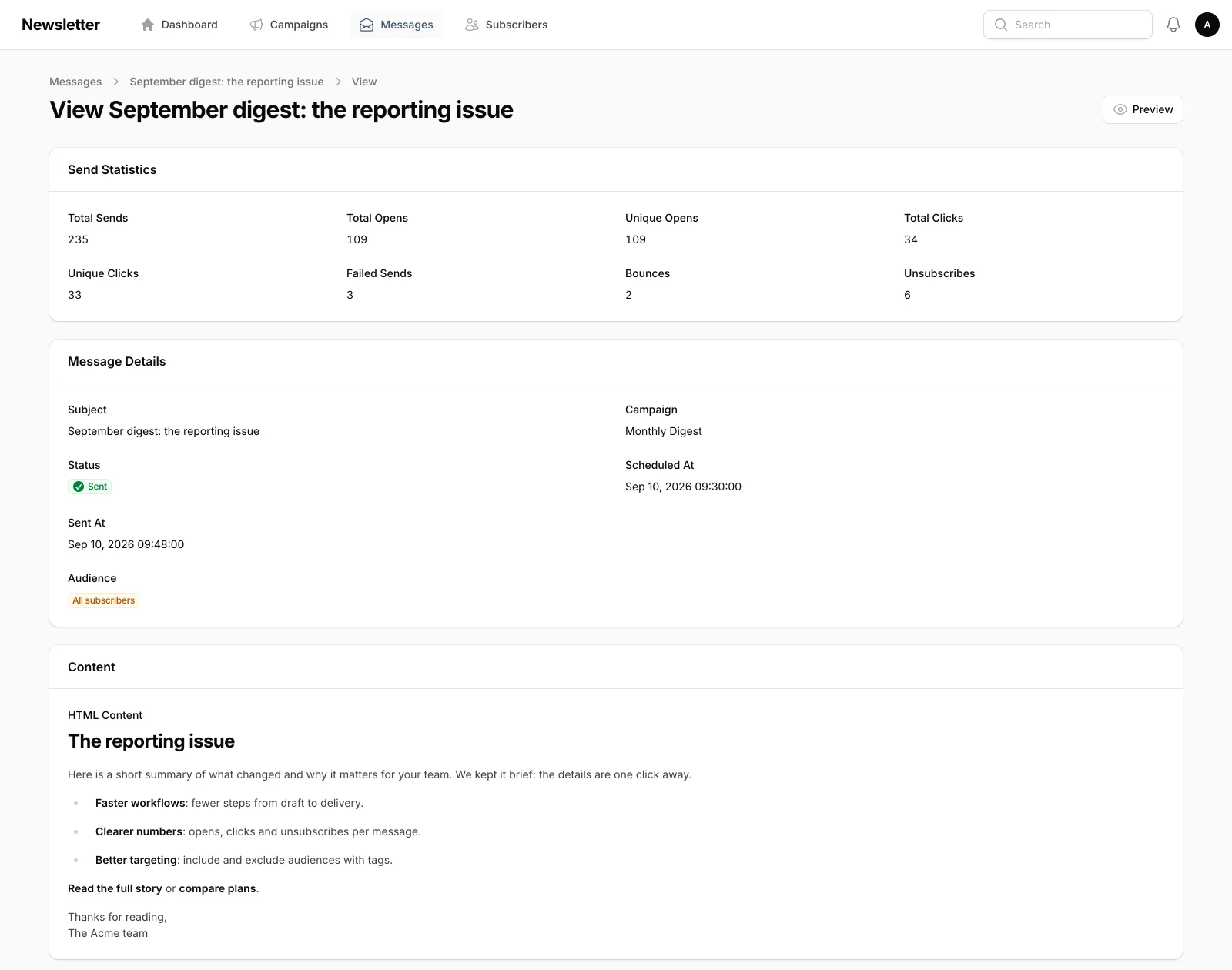
name — in a sandboxed frame before anyone receives it. Templates have the same preview.Message statsSends, unique opens and clicks, failures, bounces and
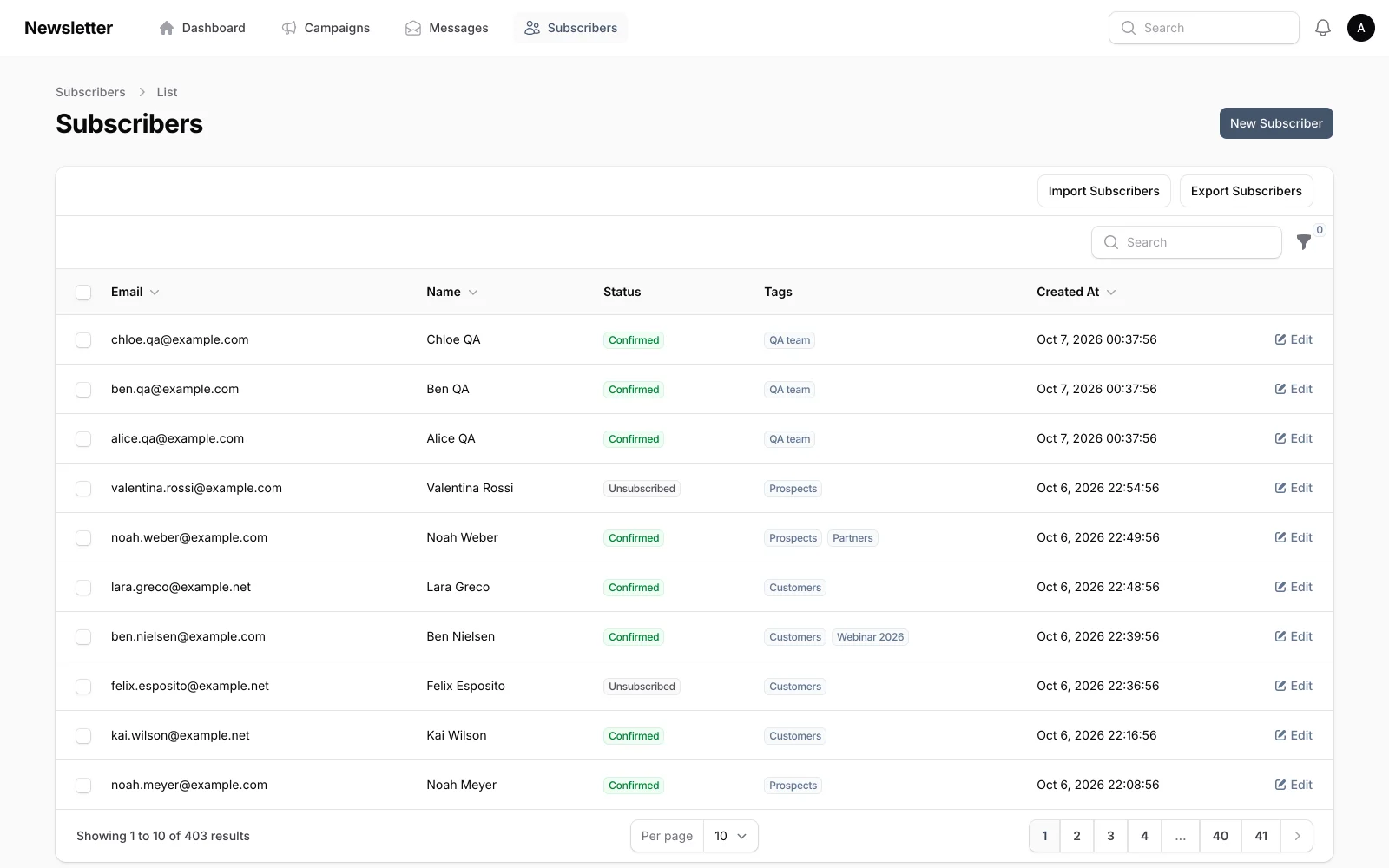
unsubscribes for each message, plus the per-recipient send history below.SubscribersStatuses (pending, confirmed, unsubscribed, bounced), tags,
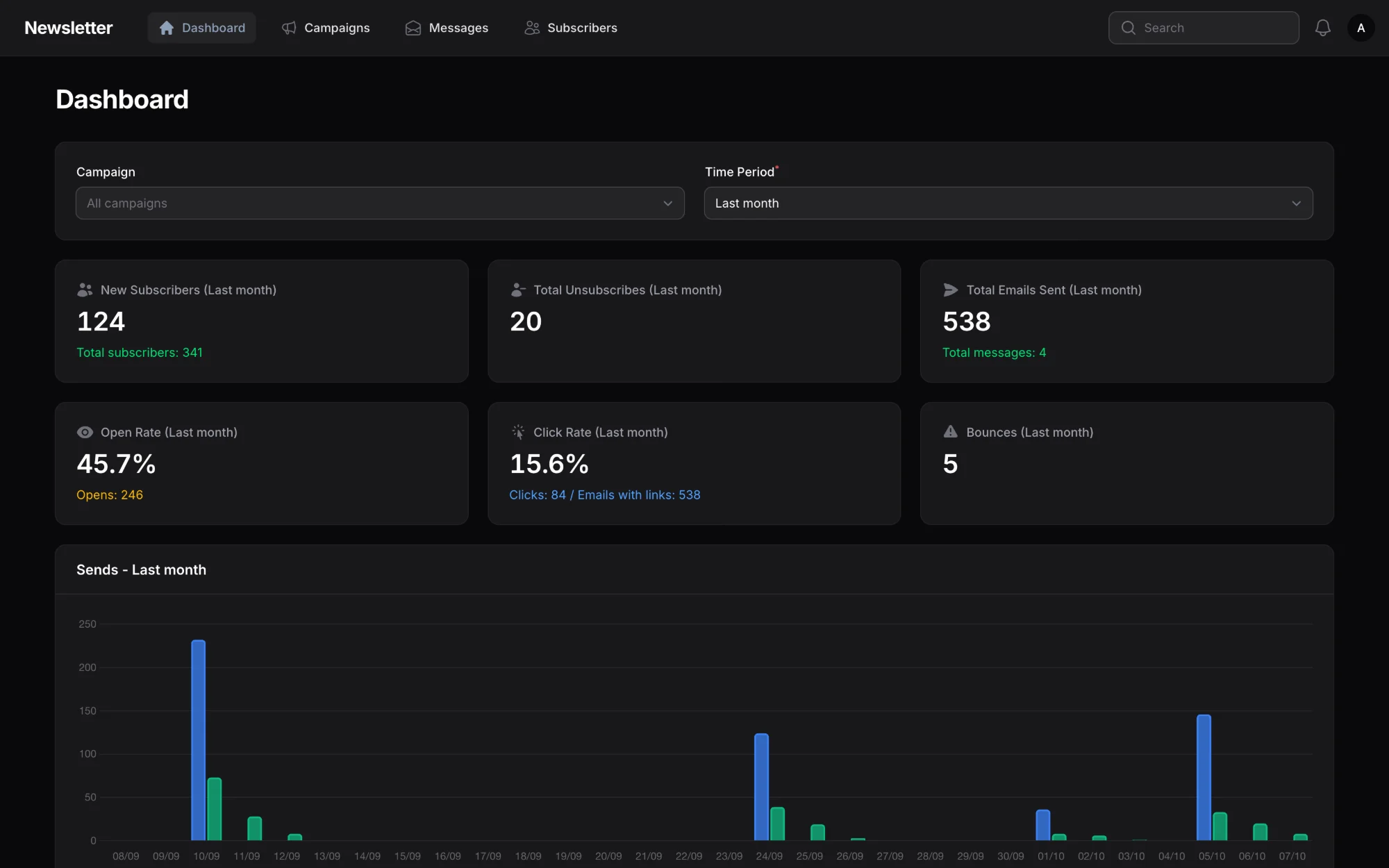
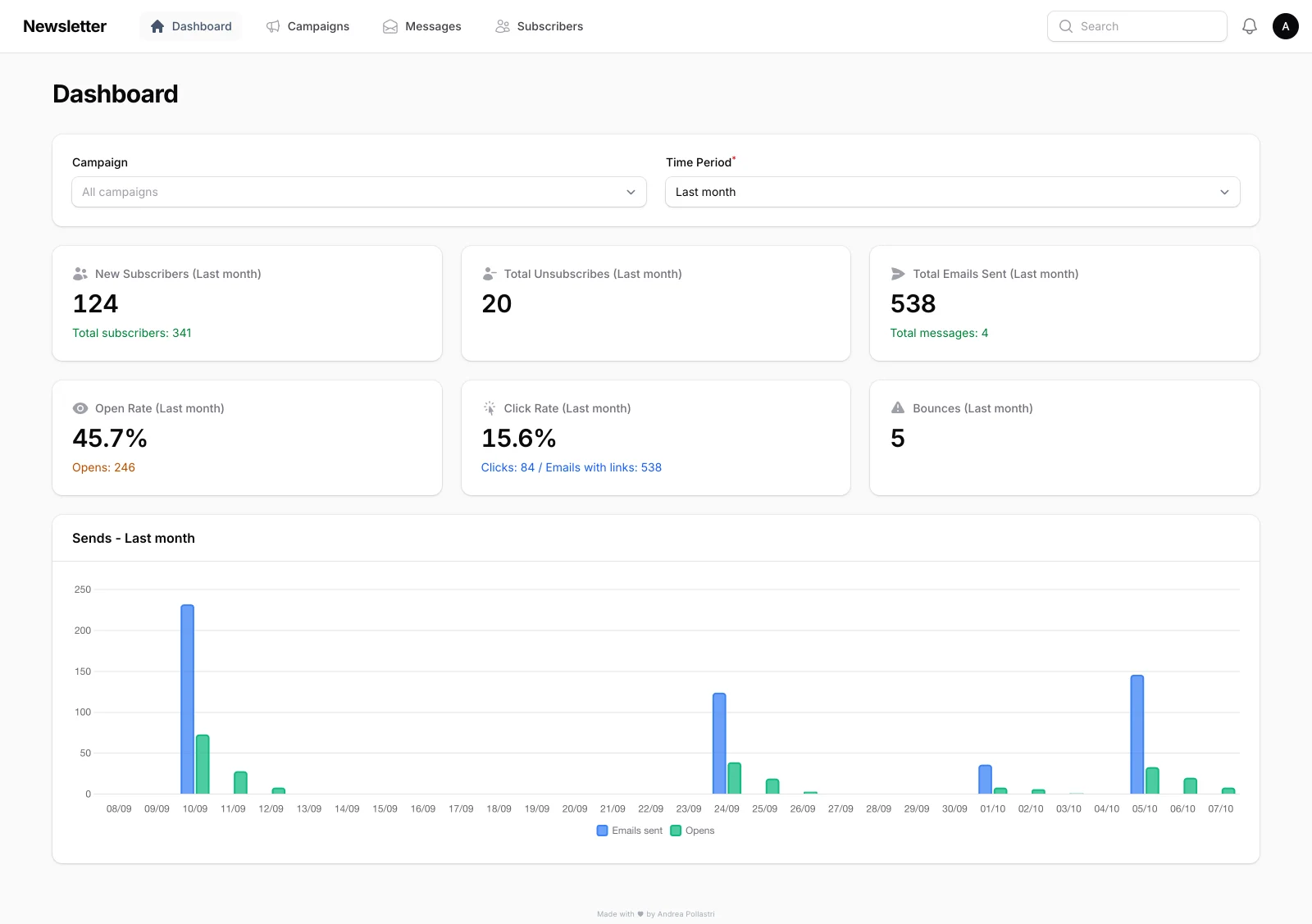
CSV/XLSX import and export, and bulk actions to retag or change status.DashboardKPIs and a daily sends-and-opens chart, filtered by campaign and
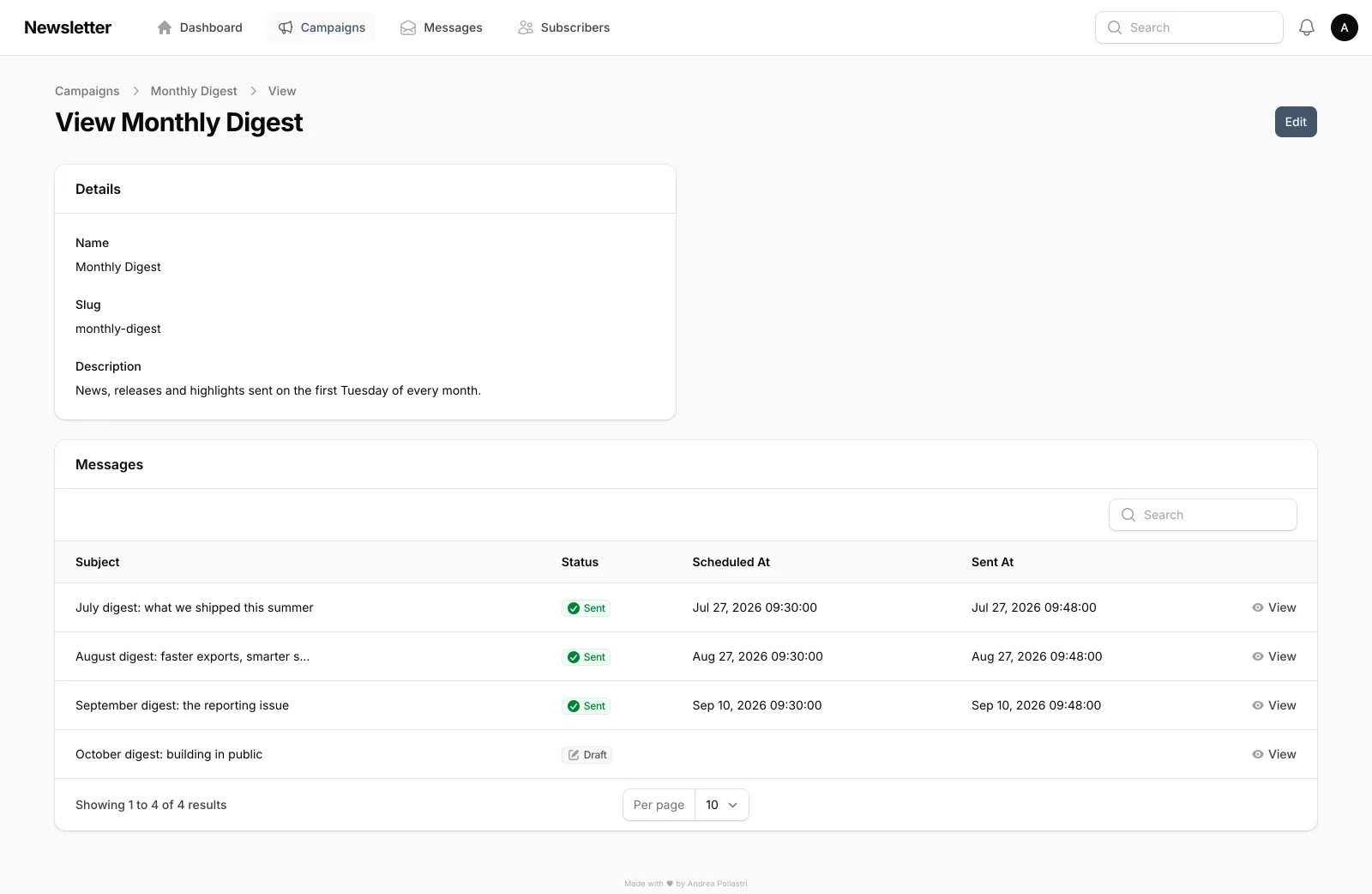
period. Testing-tag sends never pollute these numbers.CampaignsGroup messages into campaigns; the slug feeds the
utm_campaign parameter added to every tracked link.
Features
Everything for real sends.
From subscriber hygiene to delivery analytics — the essentials, without the bloat.
Subscribers & tags
CSV import/export, status workflows, tagging, and precise audience segmentation — including
testing tags that keep dry-runs out of production metrics.
Campaigns & messages
Structured campaigns with draft, ready, sending, and sent states you can trust. Sending is
idempotent: nobody gets the same message twice.
Audience targeting
Include tags, exclude tags (“customers, but not partners”), and a live estimate of
how many confirmed subscribers will receive the message.
HTML templates
Reusable templates with placeholders, in-panel previews of templates and messages — plus
optional AI-assisted generation via MCP.
Scheduled sending
Cron-driven delivery with rate limits and estimated completion aligned to your SMTP caps.
Full tracking
Opens, clicks, unsubscribes, and automatic UTM parameters on outbound links. Click links are
signed, so the redirect can't be abused for phishing.
Dashboard & analytics
KPIs, send statistics, per-message tracking, and widgets built for operators.
Bounce detection
Optional IMAP processing that reads delivery reports (RFC 3464): hard vs soft from the status
code, delay notices ignored, and false opens from bounced mail discarded.
Deliverability
One-click unsubscribe headers (List-Unsubscribe + RFC 8058) for Gmail, Yahoo
and Outlook, double opt-in, and rate limits that match your SMTP quotas.
Multilingual admin
Italian, English, German, French, Spanish, and Portuguese.
Install
Up in minutes.
Clone, configure, migrate — then create your first user (it becomes the Administrator).
bash — clone & install
git clone https://github.com/andreapollastri/newsletter.git
cd newsletter
composer install
Prefer the one-shot setup script?
composer run setup installs dependencies, creates .env, generates the key, migrates,
and builds assets.
Full details in
Docs → Installation.
Docs
From zero to first campaign.
The essentials to install, configure, send, and integrate. Deep reference lives in the
GitHub README.
Overview
Newsletter is a complete newsletter management system for Laravel, built with Filament.
Manage subscribers, campaigns, HTML templates, scheduled sending, and full tracking from a modern admin
panel.
It ships with a Sanctum REST API (OpenAPI docs included) and an MCP server so AI agents can operate on the
same data as your team.
Requirements
PHP8.3+
Laravel13
Filament5
Database SQLite, MySQL, or PostgreSQL
Queue database, Redis, or similar
Node.js22+ for Vite asset builds — on the server too, every update
builds them
git clone https://github.com/andreapollastri/newsletter.git
cd newsletter
composer runsetup
Then create an admin user and start the queue worker:
bash
php artisanmake:filament-user./start-worker.sh
The first account you create is an Administrator; later accounts default to Editor.
Want to look around first? php artisan newsletter:seed-data loads the demo dataset used for the
screenshots on this page (log in with admin@newsletter.test / password). It only
uses example.com addresses and refuses to run in production without --force.
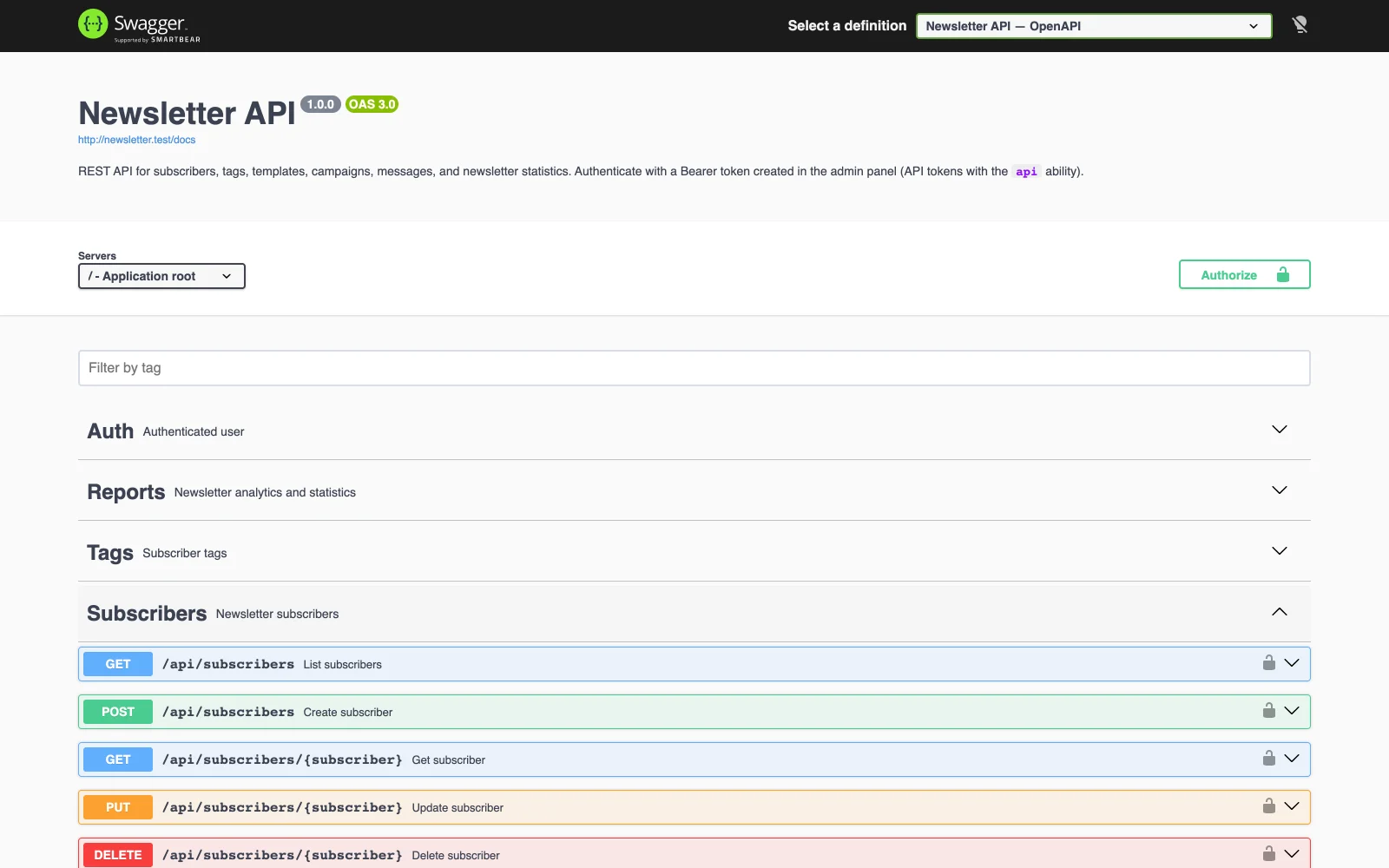
Generate OpenAPI docs with php artisan l5-swagger:generate.
From then on, Newsletter updates itself from the scheduler: see
Updates.
Reports are parsed as RFC 3464 delivery-status notifications when possible: only
Action: failed recipients bounce, 5.x.x codes are hard bounces and
4.x.x soft ones, delay warnings are ignored, and your own sender address is never marked as
bounced.
Roles
Every user has exactly one role.
Role
Access
Editor
Create and manage draft messages inside existing campaigns.
Manager
Campaigns, subscribers, tags, templates, all message states, and reports.
Administrator
Everything a Manager can do, plus users, API tokens and updates.
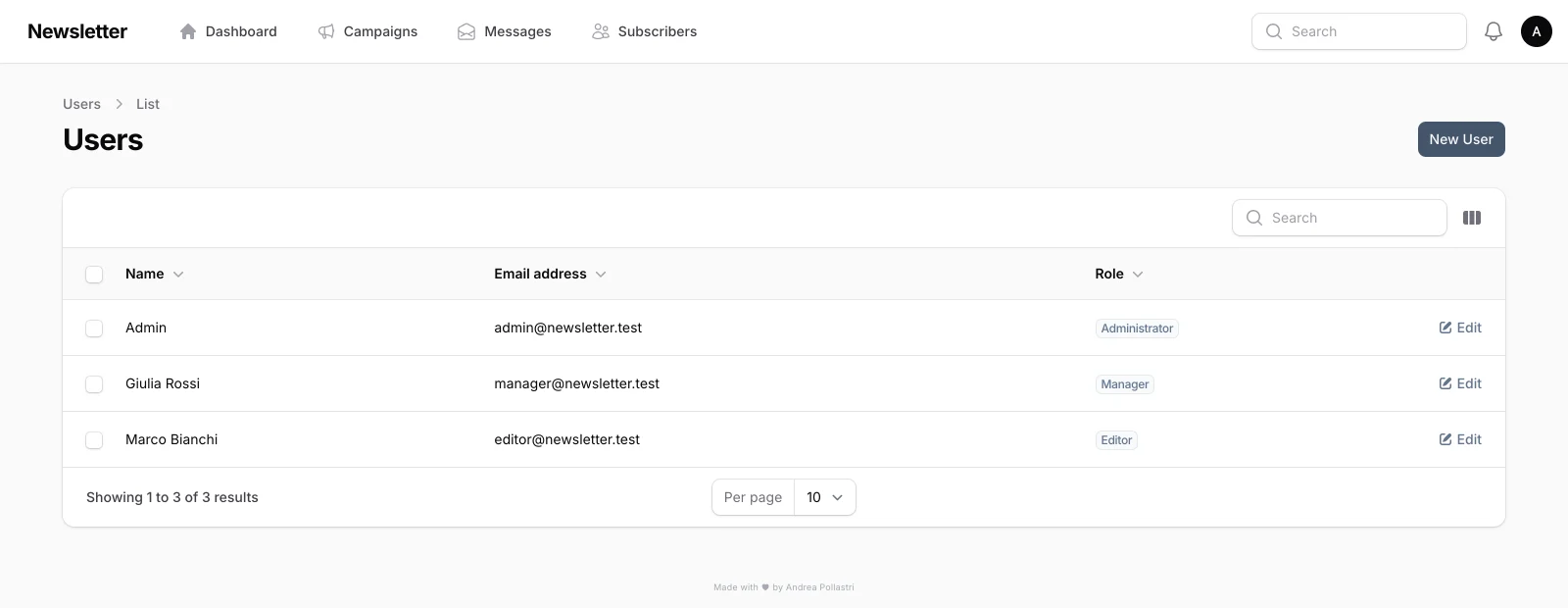
Users → one role per account
Sending
Immediate
Open Newsletter → Messages
Create or select a message
Set status to Ready
Click Send Now — the queue worker delivers
Scheduled
Set Scheduled Date on a message. The scheduler picks it up when due
(newsletter:send-scheduled every minute). If no confirmed subscriber matches the audience, the
message goes back to Draft and everyone gets a notification instead of a silent no-op.
Audience
Tags include subscribers that have any of the selected tags (none selected = all
confirmed subscribers). Exclude tags remove anyone with at least one of them. The
Estimated recipients badge shows the result while you edit.
Messages → Edit → Recipients and Sending
Preview & test
Preview renders the saved message inside its template in a sandboxed frame;
Send Test delivers it to any address without tracking.
Testing tags
Mark tags as testing in Filament. Messages that target only testing tags are excluded from
production statistics
and cleaned up after the send — so you can dry-run the pipeline safely.
REST API
Authenticate with a Sanctum personal access token that has the api ability.
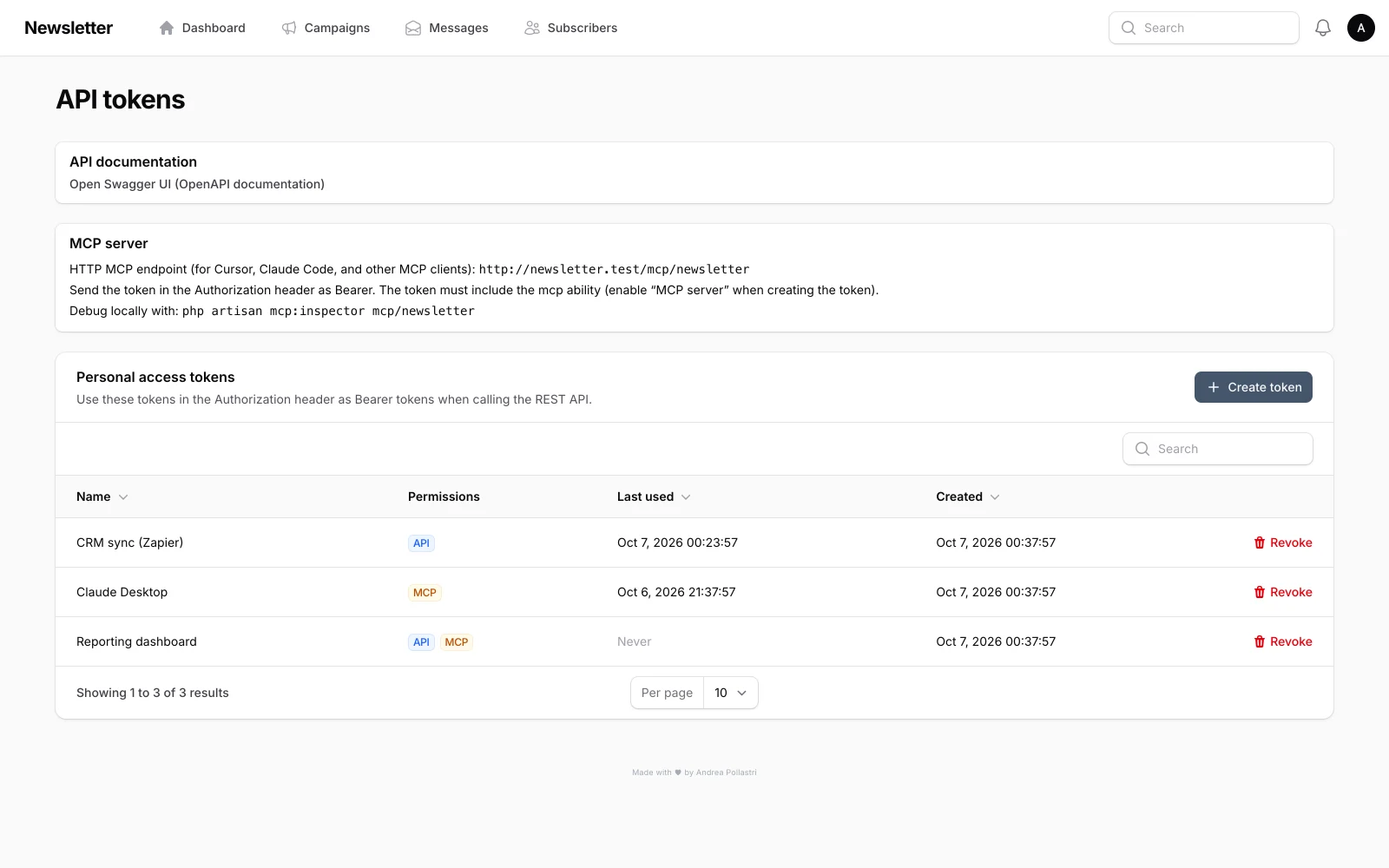
Create tokens from the admin user menu → API tokens.
http
Authorization: Bearer <your-token>
Resources under /api: user, newsletter report, tags, subscribers, templates, campaigns, and
messages.
Interactive OpenAPI UI: /api/documentation.
/api/documentation
MCP server
Endpoint: /mcp/newsletter.
Authenticate with a Sanctum token that has the mcp ability.
Every minute (updates asked for in the panel) and nightly
Public pages
Route
Purpose
GET|POST /subscribe
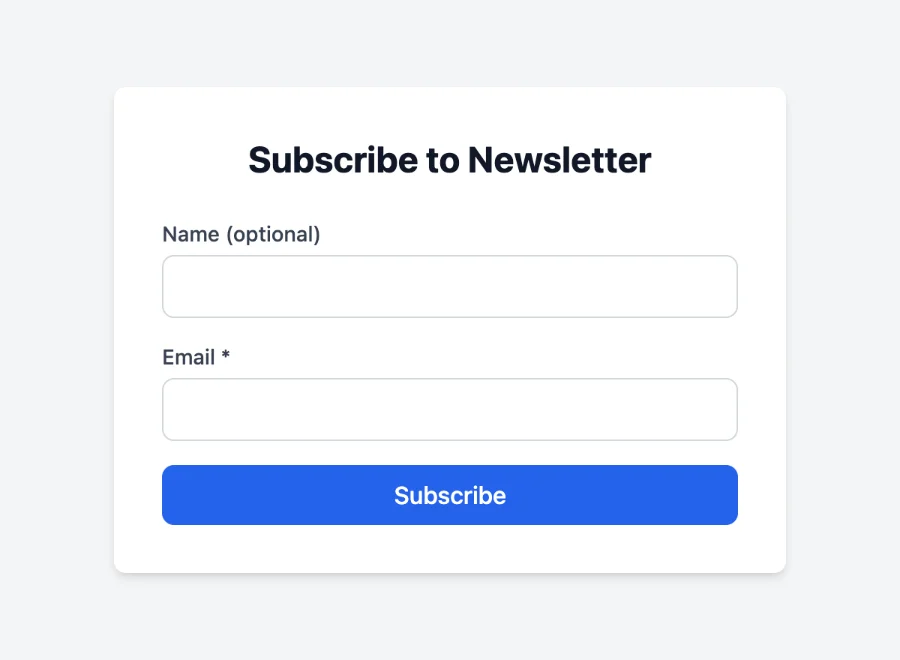
Subscription form (rate limited) with double opt-in email
GET /subscribe/confirm/{token}
Confirm the subscription
GET /unsubscribe/{subscriber}
Unsubscribe confirmation page
POST /unsubscribe/{subscriber}
RFC 8058 one-click unsubscribe used by mailbox providers
/subscribe
Updates
Newsletter keeps itself up to date. Administrators find Updates in the user menu: the
installed release and build, the newest one, Check now, Update to … and
Force update, the channel, the nightly update, and the log of the last run.
Channels
Channel
Installs
Stable
The release tags (2.3.0; v2.3.0 and 2.3 count too) and
nothing in between. The default.
Beta
The head of main: every commit, before it becomes a release. For a server you test
on.
An update never goes backwards: a build is installed only when it contains the installed one. Back on
stable after beta, Newsletter keeps its main build until a release contains it. Force
update installs the channel's newest build again, or one whose history differs — never an older
one.
When it runs
Every night at APP_UPDATE_TIME (04:00 by default) while automatic updates are on.
An update asked for on the Updates page starts within a minute.
Both run from the scheduler, so the cron entry is
required. The Updates page warns when the scheduler has not run in the last few minutes.
What an update does
Backs up the database to storage/app/updates/backups (the newest 5 are kept)
Installs the new build and runs composer install --no-dev
Builds the assets: npm ci and npm run build
Migrates, rebuilds the caches and restarts the queue workers
Checks that Newsletter boots
If a step fails, the previous code and the database come back. The log of the last run is on the page and
in storage/app/updates/update.log.
Installations
Installation
How it is updated
Git checkout
In place, as in Installation: maintenance mode,
the new build checked out, built and migrated. Tracked files changed by hand stop the update;
Force update discards them.
Releases
releases/, current, shared/, as Cipi and Deployer make
them: the new build is cloned into releases/<build> next to the running one,
shares its .env and storage, is built and migrated, then
current points at it.
The scheduler's user runs the update: it needs git, composer and the database
client (mysqldump/mysql, pg_dump/psql) on its
PATH, and write access to the application. public/build is not committed, so
every update builds the assets: npm (Node.js 22+) must be on that PATH too, or set
APP_UPDATE_NPM. On Cipi releases, Cipi's own node-build.sh builds them.
Environment
APP_UPDATES — on in production; false turns updates off
APP_UPDATE_REPOSITORY — where builds come from (this repository on GitHub)
APP_UPDATE_CHANNEL (stable) and APP_UPDATE_AUTO
(true) — the defaults until an Administrator chooses on the Updates page
APP_UPDATE_TIME (04:00) — the nightly update, in the app timezone
APP_UPDATE_BACKUP (true) — the database backup before each update
APP_UPDATE_ASSETS (true) — build the assets with npm; leave it on
APP_UPDATE_PHP, APP_UPDATE_COMPOSER, APP_UPDATE_NPM,
APP_UPDATE_GIT — the tools, when the scheduler's PATH lacks them
Command line
bash
# the last check and run (JSON)php artisanapp:update status# what the channel would installphp artisanapp:update check# update now, or reinstallphp artisanapp:update applyphp artisanapp:update apply--force# channel: stable or betaphp artisanapp:update channel beta# nightly update: on or offphp artisanapp:update auto off
Upgrading from 2.2.0 or earlier
Those versions have no updater: update to 2.3.1 by hand one last time and make sure the cron entry is
there. From then on, Newsletter updates itself. On a git checkout: